
Legacy
DeX for PC app
Runs the phone desktop inside a Windows window over USB or supported wireless connections. It is not supported for One UI 7 or later.
Windows 11 detailsDownload the legacy Samsung DeX for PC installer from Samsung's own server. Before you install it, check the One UI notice below: newer Galaxy software no longer supports the DeX for PC app, even though monitor-based DeX may still work.
Important support change
Samsung states that DeX for PC is no longer supported on Galaxy devices released with or updated to One UI 7 or later. This does not mean every DeX mode disappeared: a compatible phone may still run DeX directly on a monitor or TV.
Quick decision
Choose your phone software and the screen you want to use. The checker gives a practical next step; it does not install or scan anything.
Verified download facts
The button on this page uses the verified Samsung Windows installer instead of a third-party mirror. The official entry page and the final Download Center file are listed below.
| File name | SamsungDeXSetupWin.exe |
|---|---|
| File version | Not published on Samsung's official entry page |
| File size | 99,866,280 bytes (about 95.2 MiB) |
| Platform | Windows 10 and Windows 11 |
| Source | Samsung Download Center |
| Price | Free |
| Support status | Legacy PC app; unavailable for One UI 7 or later |
| Last file check | August 11, 2026 |
SamsungDex.wiki does not host, modify, or repackage the executable. The official entry page and final file URL can change when Samsung updates its download service.
Choose the right DeX mode
Many confusing download pages treat every DeX connection as the same product. In practice, the Windows app, a direct monitor connection, and Wireless DeX have different requirements.
Legacy
Runs the phone desktop inside a Windows window over USB or supported wireless connections. It is not supported for One UI 7 or later.
Windows 11 detailsDevice dependent
The phone connects directly to a monitor or TV and produces the desktop workspace. No Windows installer is involved.
Monitor setupDisplay dependent
A supported Galaxy device can cast DeX to a compatible Miracast display. Expect more latency than a wired connection.
Check compatibility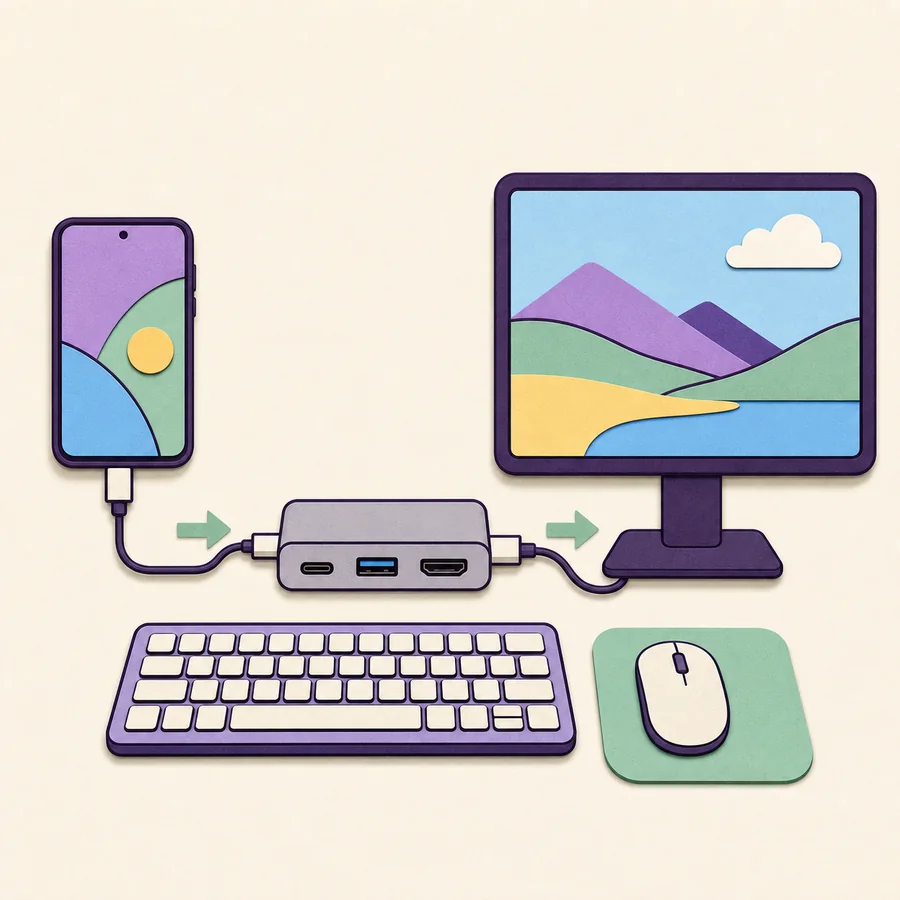
Legacy PC installation
Use these steps only after confirming that your Galaxy model and One UI version still support DeX for PC. Newer devices should use another connection mode.
Select Download for Windows and confirm that SamsungDeXSetupWin.exe comes from Samsung's Download Center.
Open the downloaded file, review the Windows security prompt, and follow the installer. Do not use a similarly named file from an unknown mirror.
Unlock the Galaxy device and connect it with a data-capable USB cable. A charge-only cable cannot carry the connection.
Accept the DeX connection request on the phone. Keep the phone unlocked during the first connection while Windows completes device setup.
The DeX workspace should open in a Windows window. If nothing happens, check One UI support, the USB mode, cable, port, and Samsung USB driver state.
Platform truth table
A platform keyword does not always mean an app exists. Use the status below to avoid unofficial APKs, obsolete Mac installers, and fake Linux packages.
| Platform | Status | What to do | Guide |
|---|---|---|---|
| Windows 11 | Legacy installer available | Download only for a compatible pre-One UI 7 phone. | Windows 11 |
| Windows 10 | Legacy installer available | Use the verified Windows 10 guidance and the same official installer. | Windows 10 guidance |
| Android / Galaxy | Built in | Use Settings or Quick settings; do not install a random APK. | Android status |
| macOS | Download unavailable | Samsung says the Mac app can no longer be downloaded. | Current alternatives |
| Linux | No official client | Use direct monitor DeX or a clearly documented alternative. | Connection modes |
| Windows 7 | Unsupported | Do not rely on old mirrored installers. | Supported Windows versions |
Fast answers
Start with the support boundary, then diagnose the cable, PC, display, or wireless route that applies to your setup.
Direct answers
Yes, Samsung's official Windows entry page currently identifies SamsungDeXSetupWin.exe in the Download Center. However, Samsung says DeX for PC is not supported on Galaxy devices released with or updated to One UI 7 or later. The installer is mainly relevant to compatible devices on older software.
Samsung has shifted its support messaging because the DeX for PC app is a legacy product. Regional pages may omit the button or route users to general DeX information. The official Windows entry page and verified installer remain available when checked, but compatibility should come first.
The Windows installer is free. SamsungDex.wiki links to Samsung's server and does not charge for, host, or repackage the file. You may still need a compatible phone, data cable, monitor adapter, hub, or other hardware for your chosen setup.
Usually no. On supported Galaxy phones and tablets, DeX is part of the system software. Look for Samsung DeX in Settings, Connected devices, or Quick settings. Avoid unofficial DeX APK files because they do not add hardware support to an unsupported phone.
The distinction is important: Samsung says DeX for PC is not supported on One UI 7 or later, but compatible devices may still support DeX directly on a monitor or TV. Availability can also differ between phones and tablets.
Samsung says the Mac app can no longer be downloaded, and there is no official Linux DeX client. For those computers, consider direct monitor DeX or another documented phone-integration tool rather than an unverified installer.
No. The official Windows file is an installer named SamsungDeXSetupWin.exe. Websites advertising portable, modified, or cracked DeX packages are not providing the same verified Samsung download path.
For Windows integration, Samsung recommends Link to Windows for supported calls, messages, notifications, files, and mobile apps. For a full phone-powered desktop workspace, connect a compatible Galaxy device directly to a monitor or use Wireless DeX with a compatible display.
Source transparency
Official entry page, final file, file size, and support wording checked August 11, 2026.