
Direct answer
Do not install a third-party Samsung DeX APK
Search Settings or Quick settings for Samsung DeX. On a supported Galaxy device, the feature is already part of One UI. If the menu is absent, verify the exact model and region. APK sites may list packages with DeX-related names, but installing one does not create missing hardware or complete Samsung system integration.
Samsung DeX on Android facts
| Normal installation | Built into supported Samsung Galaxy system software |
|---|---|
| Google Play download | No general standalone DeX app for adding device support |
| Unofficial APK | Not recommended; cannot add missing hardware or full system integration |
| Where to look | Settings, Connected devices, or Quick settings |
| Main requirement | A Samsung-supported Galaxy phone or tablet |
| PC app status | Separate legacy product; unsupported on One UI 7+ |
How to find the Samsung DeX download on Android
Open Settings and use the search field for Samsung DeX. Depending on the model and One UI version, the control may appear under Connected devices, Advanced features, or another device-connection area. You may also find a DeX tile when editing the Quick settings panel.
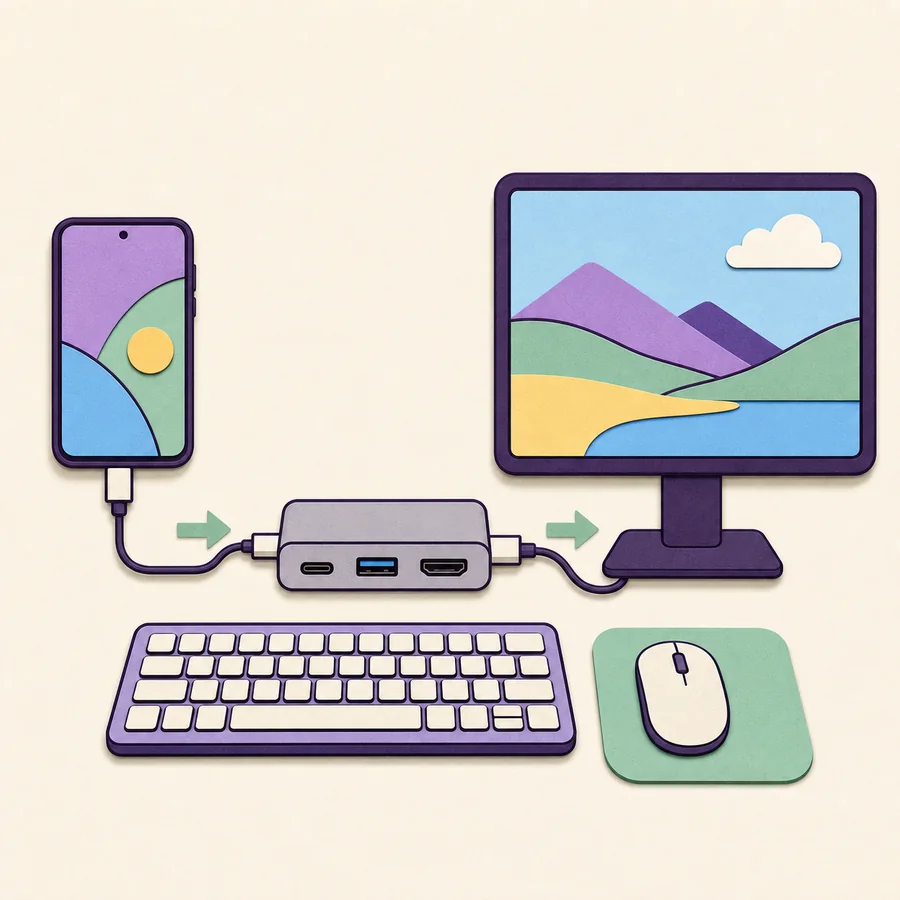
If the control appears, read its connection choices before downloading anything. A direct monitor setup normally uses a USB-C video cable, hub, or HDMI adapter. Wireless DeX looks for a compatible wireless display. A legacy DeX for PC connection requires the separate Windows application and compatible older phone software.
If Settings returns no DeX result, write down the exact model number and One UI version under About phone. Compare the model with Samsung's product documentation. Do not treat a search result from an APK catalog as proof that the feature supports your phone.
- 1
Search Settings
Type Samsung DeX in the Settings search box and open any matching system control.
- 2
Edit Quick settings
Look through available tiles for DeX or a related connected-device control.
- 3
Record the model number
Open About phone so you can verify the exact regional model.
- 4
Read the One UI version
Open Software information, especially when you want the legacy PC-app mode.
- 5
Choose a supported connection
Use a monitor, wireless display, or compatible legacy Windows workflow based on the device.
Why there is no universal Samsung DeX APK download
DeX is not only an icon or ordinary Android application. It depends on Samsung's window-management behavior, display stack, device services, input handling, firmware, and, for wired monitors, hardware video output. These pieces ship as part of the supported Galaxy system.
An extracted package from another device may fail to install, crash, expose no launcher, or expect privileged system permissions. Even if a package name looks authentic, installing it on an unsupported phone cannot create a DisplayPort signal or add Samsung's device-specific framework.
APK pages can also use outdated version labels to attract searches for Android 12, Android 16, or a current year. Those labels are not a substitute for an official release page. For DeX, the useful question is the phone model and connection mode, not the APK version number.
Avoid DeX mod APKs, compatibility unlockers, and packages that request device-administrator or accessibility access without a clear official purpose.
How to start DeX without downloading an Android app
For a wired setup, connect a supported Galaxy device to a compatible monitor or TV using a video-capable USB-C path. Some hubs need external USB-C power before video, USB accessories, and charging remain stable. Select the correct display input and unlock the phone.
For Wireless DeX, place the compatible TV or receiver into screen-mirroring mode, open DeX on the phone, and choose the display. Wireless performance depends on distance, interference, receiver quality, and device capability, so a cable is usually better for long work sessions.
On a compatible tablet, DeX can also run on the tablet screen and may offer New DeX or Classic DeX behavior depending on the model and software. That tablet interface is still part of the Galaxy system, not a Google Play application.
- Use a data/video-capable cable rather than a charging-only cable.
- Confirm the display input and any hub power requirement.
- Unlock the Galaxy device and approve the connection prompt.
- Pair keyboard and mouse by USB, Bluetooth, or a compatible hub.
- Use the phone as a touchpad when the model and mode provide that option.
Android 12, Android 16, and One UI version searches
Android version keywords can be misleading for Samsung DeX. Samsung distributes features through One UI builds made for specific Galaxy models and regions. Two phones on the same broad Android version can have different DeX capability because their hardware and product software differ.
One UI matters particularly for DeX for PC. Samsung says that PC mode is not supported on devices released with or updated to One UI 7 or later. Direct monitor and wireless-display support should still be checked by model rather than inferred from an Android number.
Do not download an APK labeled for Android 16 to make a non-supported device compatible. Use official system updates, read the Samsung support page for the device, and keep the connection method within the hardware capability Samsung documents.
Alternatives when your Android phone does not support DeX
On Windows, Link to Windows can connect supported phone features such as messages, notifications, calls, photos, files, and selected applications. It does not provide the same full desktop interface, but it is a current supported route for many PC tasks.
Screen mirroring can place the phone display on a TV, although it does not automatically transform applications into a desktop layout. Developers and advanced users may use transparent open-source screen-control tools, but those tools are not DeX and may require USB debugging. Review their source, permissions, and security model before use.
Android download claims versus reality
Use this comparison before installing any DeX-branded Android package.
| Claim | Reality | Recommended action |
|---|---|---|
| Download the Samsung DeX app | DeX is built into supported Galaxy system software | Search Settings and verify the model |
| Install a DeX APK on any Android phone | An APK cannot add Samsung hardware and framework support | Do not install it |
| Update DeX separately for Android 16 | DeX changes arrive through Samsung system updates | Use official One UI updates |
| Use an APK to restore DeX for PC | One UI 7+ support policy is phone-side | Use Link to Windows or direct display DeX |
Samsung DeX Android download FAQ
Can I download Samsung DeX from Google Play?
There is no general standalone Google Play app that adds DeX support. On compatible Galaxy devices, Samsung DeX is integrated into the system software.
Where is the Samsung DeX app on my phone?
Search Settings for Samsung DeX and inspect Connected devices or Quick settings. Menu placement varies by model and One UI version.
Can I install a Samsung DeX APK on another Android phone?
An APK cannot provide Samsung's system framework, window manager, firmware integration, or missing USB-C video output. Avoid modified packages.
Is there a Samsung DeX download for Android 16?
DeX is delivered through Samsung system software for supported models. Do not rely on an APK labeled for Android 16; check the device and One UI support instead.
Why does my Galaxy phone not show DeX?
The model may not support DeX, the control may be hidden in Settings or Quick settings, or the region and software can differ. Verify the exact model number in Samsung documentation.
Do I need the Windows app for monitor DeX?
No. Direct monitor DeX runs from the phone through a compatible video connection. The Windows application is only for the legacy DeX for PC workflow.
Official Samsung references
Use current Samsung documentation to verify the exact phone, tablet, region, and connection mode.